To avoid these ads, REGISTER NOW!

Remote controlled light switches

bluedog225

Well-known member
Joined
Jan 31, 2012
Messages
3,221
Location
Texas
I’ve got some exterior security lights I’d like to mount under the eave of a 3 story place. And I’d like to be able to switch them on, individually, from the bottom floor entrance. I can do it the old fashioned way, but that’s a lot of wire.

I was wondering if there is a reliable way to do this with some sort or WiFi or home network. I’m vaguely aware that such systems exist, but my internet skills stop at being able to use an ipad.

I’d like any system I use to be robust. I don’t want to have to redo this is 10 years.

I can switch these lights (four of them) individually on the inside wall where they are mounted.

Any ideas on how to make this work would be appreciated.

Thanks
 
To avoid these ads, REGISTER NOW!

Smilodon

Well-known member
Joined
Oct 27, 2009
Messages
1,149
Location
Titusville, FL
It's going to depend on how the cameras are powered. If they are powered over the ethernet cable (POE), then you essentially have no power to switch off. You would have to have a POE injector in the line that could be powered off (or power off the router/NVR the cameras are connected to, which causes other problems).

If they have power bricks, I'd suggest using a wi-fi plug. I've had good luck with Kasa stuff for this.

If they are hardwired power, then something like the Lutron (or Kasa or other) wi-fi switches would be the way to go.
 

FTWingRiders

Well-known member
Joined
Mar 21, 2012
Messages
1,558
Location
Central Ma
I use this on a light switch that on the wrong side of the shop.. I’m no electrician but might work..

 
OP
B

bluedog225

Well-known member
Joined
Jan 31, 2012
Messages
3,221
Location
Texas
Interior walls are unfinished. And uninsulated. I’m warming up to start running romex etc. All options are available.
 

manwithtools

ALLIANCE MEMBER
Joined
Aug 24, 2015
Messages
13,542
Location
Lebanon, TN
Simple then, mount a switch box on the inside wall and wire in a Kasa (TP Link) remote switch, you can control from your phone (or tablet) or have them automatically turn on and off with light/ dark +/- programmed time. I have our outside garage lights on such a switch, lights come on at dusk and stay on until 10:00. Not needed after that and the Ring security camera and lights take care of the rest of the night if needed.
 

gleman

Well-known member
Joined
Jun 24, 2019
Messages
2,914
Location
Michigan And Florida too!
Simple then, mount a switch box on the inside wall and wire in a Kasa (TP Link) remote switch, you can control from your phone (or tablet) or have them automatically turn on and off with light/ dark +/- programmed time. I have our outside garage lights on such a switch, lights come on at dusk and stay on until 10:00. Not needed after that and the Ring security camera and lights take care of the rest of the night if needed.
Do the Kasas work without internet?

I have two of their outlets and I've never checked.

I'd go with the Lutron, they seem solid and don't need an internet connection. I'm not sure if that matters in OPs case.
 

manwithtools

ALLIANCE MEMBER
Joined
Aug 24, 2015
Messages
13,542
Location
Lebanon, TN
Do the Kasas work without internet?

I have two of their outlets and I've never checked.

I'd go with the Lutron, they seem solid and don't need an internet connection. I'm not sure if that matters in OPs case.
I really don't know or care. For $12.99 a switch and the fact you already need internet for security systems, fire alarms, remote access to cameras, etc. you are already going to have some form of internet available or life will be very difficult at that location.

How much is a Lutron switch again???
 

scooterbum46

Well-known member
Joined
Jan 29, 2014
Messages
822
Location
South Central Michigan / ex Gulf Coast Florida
It's going to depend on how the cameras are powered. If they are powered over the ethernet cable (POE), then you essentially have no power to switch off. You would have to have a POE injector in the line that could be powered off (or power off the router/NVR the cameras are connected to, which causes other problems).

If they have power bricks, I'd suggest using a wi-fi plug. I've had good luck with Kasa stuff for this.

If they are hardwired power, then something like the Lutron (or Kasa or other) wi-fi switches would be the way to go.
Wrong thread?
 

ADKAmateur

Active member
Joined
Feb 9, 2026
Messages
28
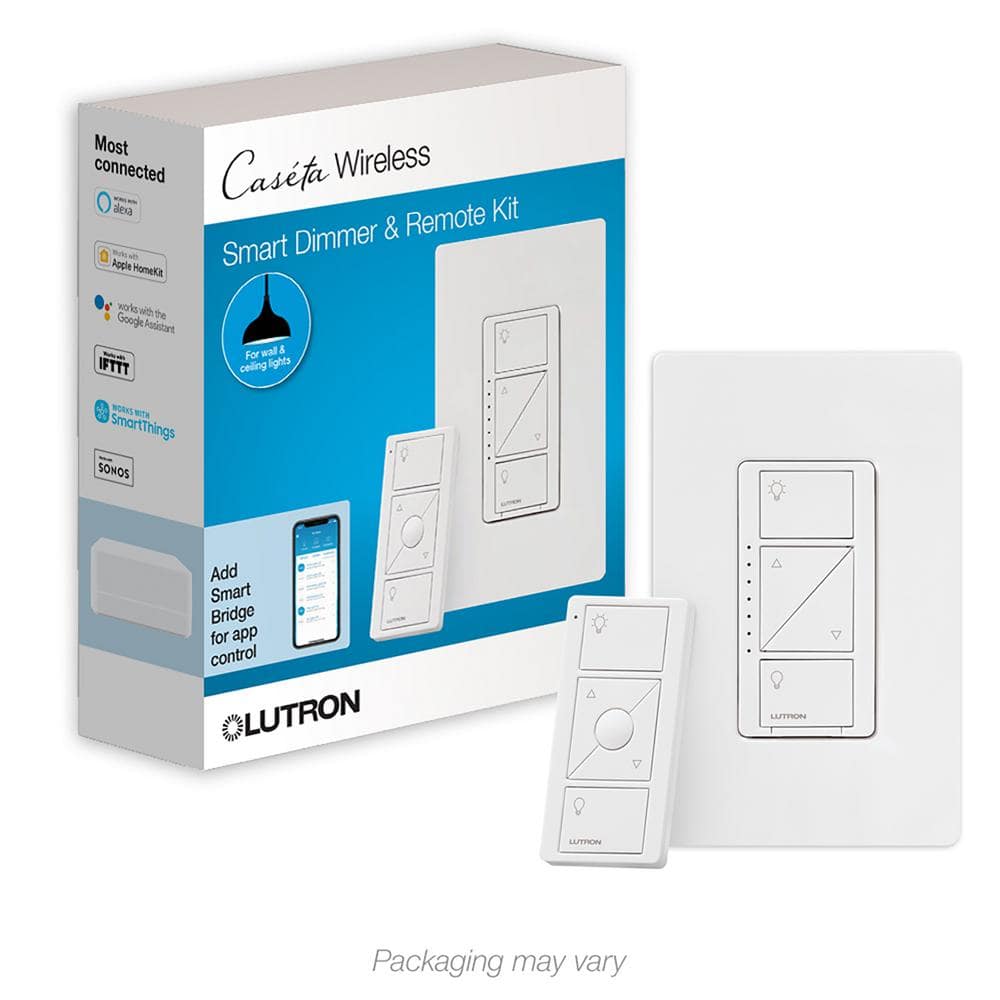
Lutron Caseta for the win. Go buy a starter pack at HD. Comes with the hub, one switch and the "pico" remote switch. I have replaced the switches in two homes with these. Rock solid.
 

dcg9381

Well-known member
Joined
Jun 20, 2018
Messages
11,604
Location
Austin, TX
I really don't know or care. For $12.99 a switch and the fact you already need internet for security systems, fire alarms, remote access to cameras, etc. you are already going to have some form of internet available or life will be very difficult at that location.
It's not "not having" internet. It's the reliability of internet. It's super annoying to have the lights "stuck on" because Spectrum is down.

Likely there are "dumb" RF solutions that don't depend on your internet, Amazon East, and the up-time of the manufacturer. All of which can make lighting control unavailable.

Just something to consider.
 

Captain Spaulding

Well-known member
Joined
Feb 13, 2017
Messages
735
Location
Southern Indiana
Wifi isn’t a great choice. It generally relies on a server somewhere being accessible to work. A while back, one of the biggest smart bulb manufacturers, Sengled, went under. Bricked a whole bunch of bulbs.

You are also stuck if your free controller suddenly becomes a subscription based product. For instance, Alexa is free right now, but losing money. The odds of Amazon charging for Alexa some day are certainly more than zero.

Zigbee is a reliable, simple protocol that doesn’t require internet to work, though it can be setup to allow control over the internet when a connection is available. It’s a mesh system, which means each device that’s added expands the range of the system.
 
To avoid these ads, REGISTER NOW!

Pontiac787

Well-known member
Joined
May 31, 2016
Messages
797
Location
New Hampshire
I’m a fan of the Lutron Caseta system. I use mine like a traditional 3-way switch. Put the wired switch/hub where it’s convenient from a wiring perspective then put the remote/pico switch where it’s convenient for you to turn the lights on/off. I don’t have them linked to the phone or iPad. They are on the pricey side but I only needed a few.
 

Yankeefarmer

Well-known member
Joined
Jul 25, 2011
Messages
1,146
Location
Connecticut
I have done similar to what you are looking to do. I’m currently using Leviton WiFi switches, which replaced z-wave switches that were controlled through Samsung Smartthings. Those switches needed a hub, and three failed. The current generation Leviton switches use Matter protocol over WiFi. The first generation Leviton switches have been working reliably for me for over 5 years, simply turning lights on and off based on sunrise, sunset, and other time factors. As someone has already pointed out, you are dependent on Leviton’s server for those simple actions, but you can also control the current generation without their server using a home hub like Apple Home, Google Home, or Home Assistant. I don’t currently use Home Assistant, but am considering it to get some functionality that Apple home doesn’t yet provide. I’m holding off because Apple is about to announce a new generation of home hub devices (Apple TV and HomePod) that might provide more programmability.
FWIW, the most complex automation I have programmed to date in Apple home is to turn on the entryway lights in my house if I arrive home after 10 pm. Those lights automatically come on at sunset and turn off at 10 pm.
 

Yankeefarmer

Well-known member
Joined
Jul 25, 2011
Messages
1,146
Location
Connecticut
After re-reading your original post, I wanted to add that Leviton offers a switch that has multiple buttons to control lights or other “scenes” to give you one switch for multiple devices.
 
OP
B

bluedog225

Well-known member
Joined
Jan 31, 2012
Messages
3,221
Location
Texas
Thanks. In looking around, some people are using home assistant, generation 4 Shelly plugs, and zigbee.

The home automation stuff still feels like the Wild West.
 

aggie113

Well-known member
Joined
Jul 22, 2015
Messages
457
Location
San Antonio, TX
I have several lights that I control with a special wireless hub that connects to the network. Mine are Phillips Hue, but other brands can do likewise, or can do local bluetooth control so no internet connection required.
 

Yankeefarmer

Well-known member
Joined
Jul 25, 2011
Messages
1,146
Location
Connecticut
Thanks. In looking around, some people are using home assistant, generation 4 Shelly plugs, and zigbee.

The home automation stuff still feels like the Wild West.
A very good friend of mine is a big fan of Home Assistant, but we haven’t really discussed it much beyond the fact that he uses it to avoid pop up commercials when web surfing.

I like the relatively new Matter over Thread concept, because it greatly reduces the power consumption of remote devices like motion sensors. I’m currently testing two wireless motion sensors that claim to have battery life of more than a year and don’t use WiFi bandwidth. They open up opportunities to motion control lights without sensors mounted where running traditional lighting would be inconvenient. I also have one telling my Blue Iris surveillance cam system to grab a snapshot when it detects motion.
 

75gmck25

Well-known member
Joined
Jul 21, 2014
Messages
1,310
Location
Alexandria, VA
Your garage lights are already wired and have four existing wall switches, right? If that is the case, a Lutron Caseta is an easy solution. Just replace the existing wall switch with the new Caseta switch and use the remote from the house. No need for WiFi or any other electronics, and its just as fast to set up as replacing each wall switch.

I think this is the kit I bought for one wall switch.

You will have to buy four switches (to replace each wall switch) and I think the Lutron remote can be set up to have one remote switch all of them as the same time, or you need four remotes to control four switches separately. For my Caseta I have only one remote and one wall switch. YMMV
 

gte718p

Well-known member
Joined
Mar 12, 2009
Messages
3,943
Thanks. In looking around, some people are using home assistant, generation 4 Shelly plugs, and zigbee.

The home automation stuff still feels like the Wild West.
I run home assistant. Actually the home automation market is starting to settle down. It is kind of converging into a couple of ecosystems. You kind of pick your team and run with it. Most people are going down the Amazon, Google, or Apple path. There are literally hundreds of others out there. Some play well with others, some are unique to their own thing.

Home assistant is cool because it allows you to tap into all of the major ecosystems. It also runs locally so you can't be switched off when a brand turns off its servers. You can connect it to the internet for remote control or not. It is however, not inherently user friendly to setup. The exchange is once you get it going you have almost infinite control. Want to open the gate when someone turns on the bathroom light and it is 70 degrees outside? I don't know why you would, but you can.

If you are not comfortable with it the technology, pick any of the big three and buy product advertise for that ecosystem.
 

sz0k30

Well-known member
Joined
Feb 12, 2014
Messages
878
Location
SE Michigan
I have a WIFI controlled flood lamp (Levitron) on the outside of my pole barn about 150 feet from the house. Power it on & off from my phone.
 

Denwood

Well-known member
Joined
Sep 22, 2014
Messages
4,172
Location
Thunder Bay, Ontario, Canada
Is anyone running home assistant?

Thanks

Yes. I’ve been in the pool since the X10 days and have used Vera, Smarthings, Hubitat, and now, Home Assistant as well. Of them all, if you are looking to just control a few lights and want to avoid a rabbit hole, I’d look at Hubitat. You don’t need to add anything and it’s all local control. If you’re technical, home assistant.

I just built up a dedicated mini PC with Proxmox, Home assistant running in a virtual machine, and Frigate (roll your own AI enabled NVR) in an LXC container on the same box. I found ChatGPT was a massive help to get through some wierd problems. It’s not perfect but it is very good at deciphering logs and feeding you arcane Linux commands to fix things. With patience, even a non tech person can likely navigate the process as ChatGPT is like having a very patient tutor that you can stop and ask any question you like. A few weeks ago I honestly would have found this paragraph indecipherable!

Btw, HA was the easiest part of the build using a script from the proxmox community pages.
 

strength_and_power

Well-known member
Joined
Apr 26, 2015
Messages
1,389
I have Lutron Caseta for a good chunk of lights in the house. Work great.

For my Christmas lights, I use Hubspace. Very affordable and the app is dead simple to use. I’d have no problem using any of their switches if the need arose.
 
To avoid these ads, REGISTER NOW!
Top Bottom